![Dane Lo-Fi [v0.1] [Bosom]](https://gamebrb.com/wp-content/uploads/2026/03/asdwuqiuioqweuiasd.jpg)
Info
Title: Dane Lo-Fi
Genre: Simulation
Developer: Bosom
Publisher: Bosom
Release Date: 2 Mar, 2026
18+
Dane Lo-Fi Overview
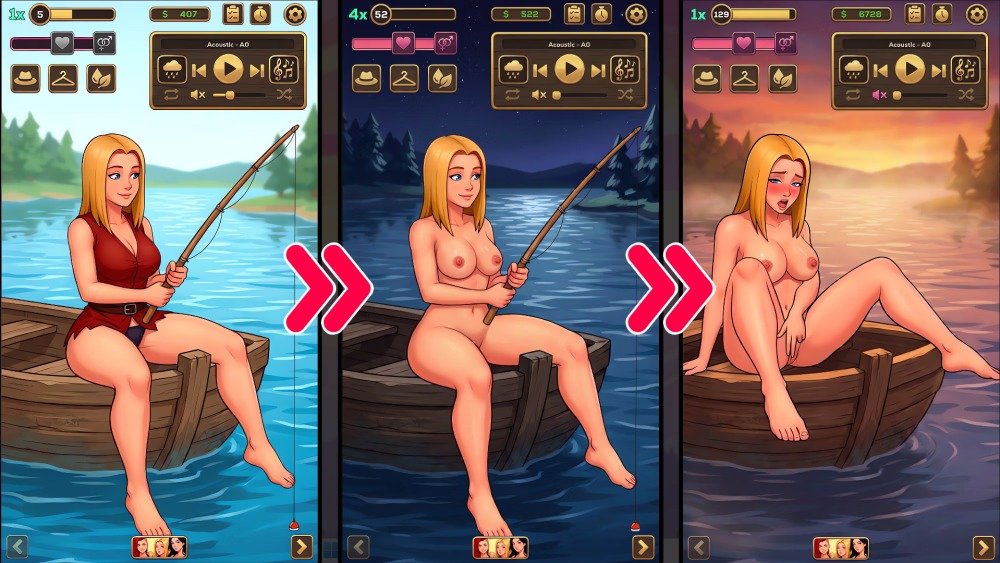
Download Dane Lo-Fi (Windows) – free full game, Your personal NSFW Lo-Fi haven. Customize characters, collect lewd scenes, and enjoy a mix of relaxing beats and ambient erotic sounds. THE ULTIMATE ADULT LO-FI EXPERIENCE No complicated mechanics. Just pure adult entertainment. Whether you have five minutes or five hours, find your perfect vibe and let the combination of soothing music and erotic sounds get you hard.
Changelog:
v0.1
Initial Release
Developer Notes:
CUSTOMIZE YOUR FANTASY
Collect and design your dream space and the girls who inhabit it. Unlock a growing collection of lewd scenes through progression.
Mix moans, licking sounds, heartbeats and wet noises to create your own NSFW soundscape that gets you throbbing and ready to go.
KEY FEATURES
• Dynamic Audio Mixer — Curated Lo-Fi beats mixed with high-quality environmental lewd sounds; stack audio layers for the ultimate arousal experience.
• Deep Customization — Personalize characters, outfits, and your environment to match your mood.
• Unlockable Content — Collect explicit scenes and interactions with multiple girls, each offering unique adult visuals.
• Session Modes — Passive mode for listening or interactive features for hands-on engagement.
• Atmospheric Environments — Dynamic soundscapes that shift from chill beats to dirty audio based on your choices.

System Requirements
- OS: Windows 7
- Processor: 2.0Ghz
- Memory: 1 GB RAM
- Graphics: 128Mb
- Storage: 30 MB available space
How to Download
- Click the Download button below and you should be redirected to Link.
- Download The Game from the given link.
- When the game is downloaded Double click the game folder and run the Pre-Installed (Already installed) Game and play it.
- Have fun and play! Make sure to run the game as administrator and if you get any missing dll errors, look for a Redist or _CommonRedist folder and install all the programs in the folder.
DOWNLOAD HERE:
Win/Linux: DataVaults
Android: DataVaults
Support the Developers: Bosom