
Game Info
Title: Mayuri-sama no Jintai Jikkenshitsu – Mayuri’s Experiment Lab: Expanded
Genre: Adult, Simulation
Developer: GreenFalcon
Release Date: 26 Nov, 2026
Mayuri-sama no Jintai Jikkenshitsu – Mayuri’s Experiment Lab: Expanded Overview
Mayuri-sama no Jintai Jikkenshitsu – Mayuri’s Experiment Lab: Expanded is an adult, simulation video game. Developed and published by GreenFalcon. It was released on November 26, 2026 for Windows. A mod for the old flash game “Mayuri-sama no Jintai Jikkenshitsu” (マユリ様の人体実験室) version 5.7 by circle eden.
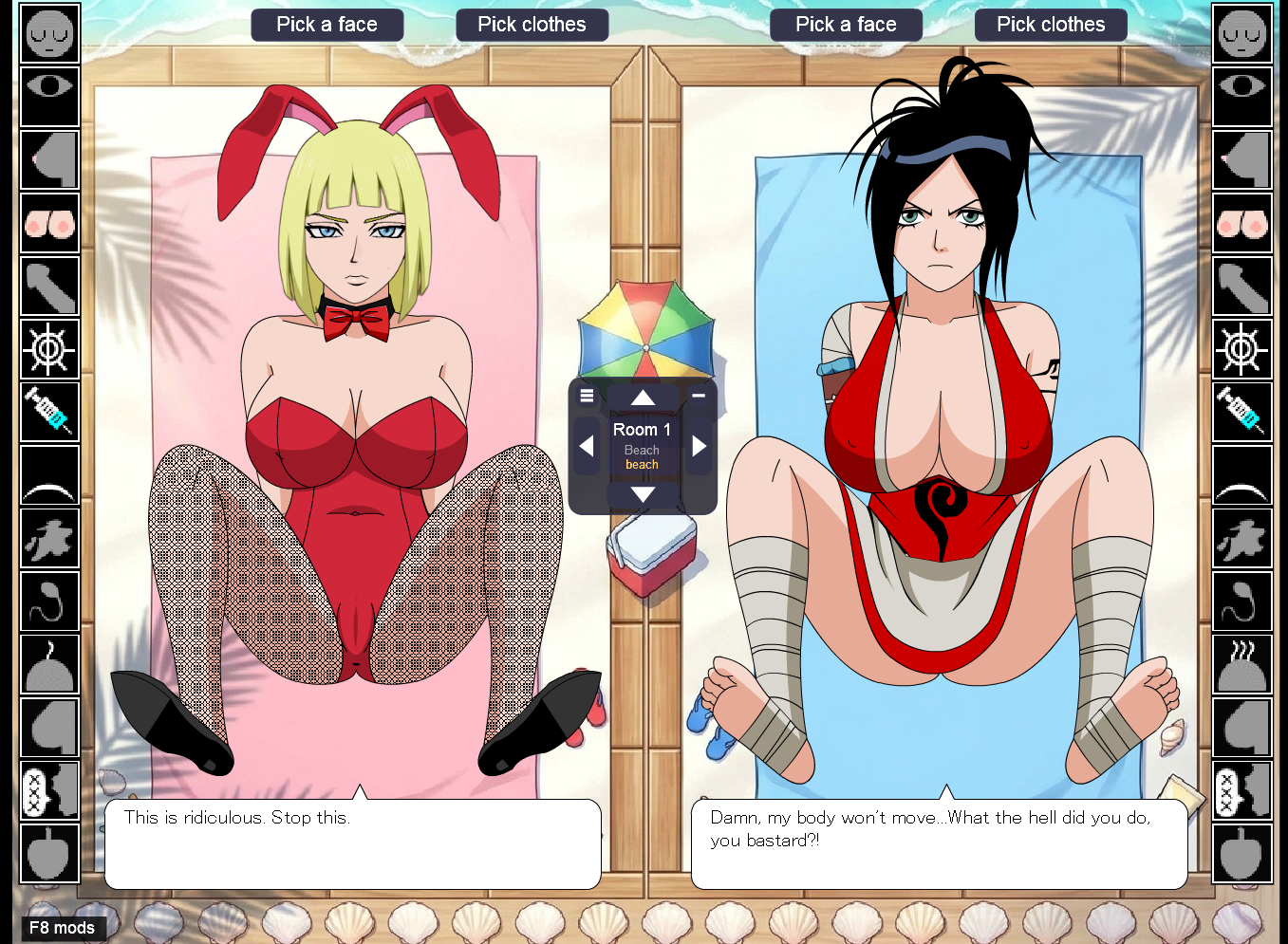
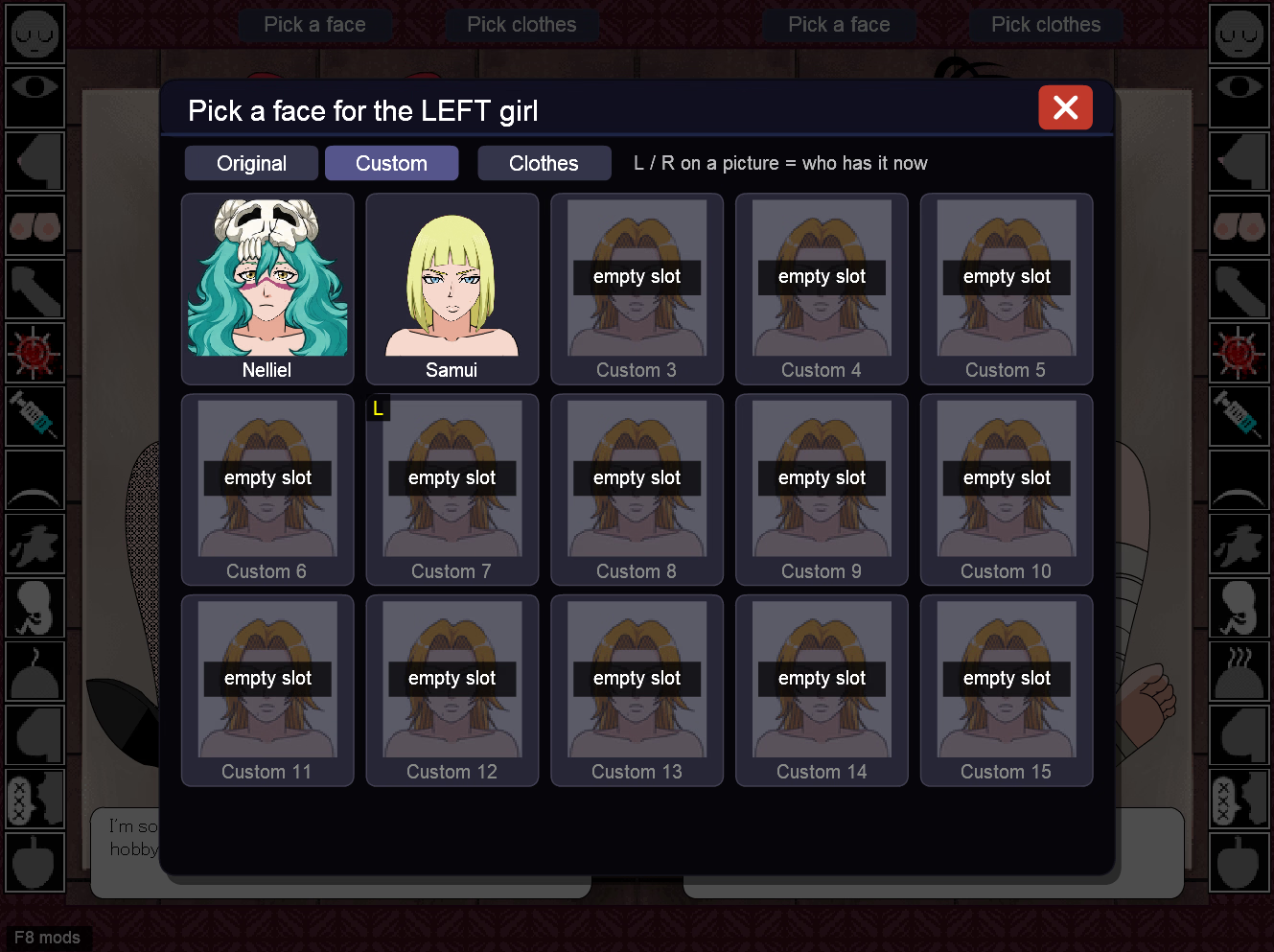
It adds editors to make your own characters (hair, eyes, mouth, skin colour, dialogue), extra character slots, character packs to share them, and in game mods like multiple rooms.
ChangeLog:
25 November 2026: 0.2 Version release
- Added Clothes Maker. Change palettes of clothes and add it ingame as a variation.
- Added red bunny suit as variation on bunny suit. Made through the Clothes Maker.
- Added custom character Samui with her own dialogue using the red bunny suit.
- Added noses: pick one per hair button in the Character Editor. The Part Maker makes them too.
- Added virgin option to character editor.
- Outfit pictures: bunny ears and collars, Nemu’s choker and Yoruichi’s scarf now show. Rangiku and Kukaku show their own chest.
- Sharper custom faces. Fixed: the chin and face outline under library hair, the Part Maker templates and Nelliel.
- “Use on all 3 hair buttons” now also works for for hair, mouth, and nose (it was eyes only).
- Linux: the editors (not the game itself) also open on Linux with python3 (no skin colouring possible in character editor)
System Requirements
- OS: Windows 7/10/11
- Processor: Pentium 3 @ 800 MHz
- Memory: 128 MB
- Storage: 500 MB free
How to Download
- Click the Download button below and you should be redirected to Link.
- Download The Game from the given link.
- When the game is downloaded Double click the game folder and run the Pre-Installed (Already installed) Game and play it.
- Have fun and play! Make sure to run the game as administrator and if you get any missing dll errors, look for a Redist or _CommonRedist folder and install all the programs in the folder.
DOWNLOAD HERE:
Win: DataVaults
Support the Developers: